
CREATOR COMMERCE
How Creators Can Use a Store Link to Turn Attention Into Product Sales
Learn how creators can use a Store Link to turn social attention into product sales with a focused bio destination, clear offers and branded checkout.
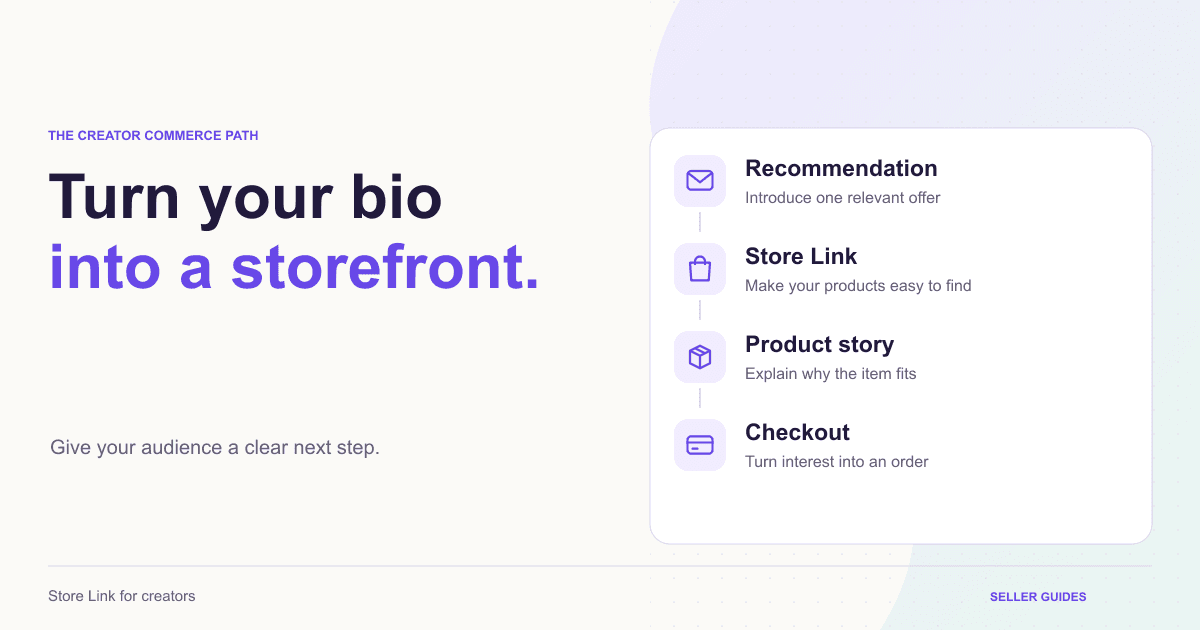
Creators do not usually have an attention problem. A video, recommendation, story or reel can introduce hundreds of people to an idea in minutes. The harder part is giving that attention a clear next step. A Store Link creates one focused destination for the products, recommendations and launches your audience is ready to act on.
Start with one clear action
The strongest creator bio links do not try to show everything at once. They make the most important action obvious. If you are launching a skincare product this week, lead with that product. If a course has just opened, put the course first. If you regularly recommend several products, use a small collection with specific labels rather than a long list of generic links.
Every item should answer one question for the visitor: what will I get if I tap this? Labels such as “Shop the morning skincare routine”, “Get the creator bundle” or “Watch the product demo” help people decide quickly and keep the promise of your content intact after they leave social media.
Use a Store Link for creators to bring your most important destination to the top.
Match the Store Link to the content people are seeing
Your social profile is not static. A launch week, seasonal offer, product collaboration or new campaign can change what your audience needs to see first. When a reel explains one product problem, the bio link should lead to the solution featured in that reel. When you mention a limited bundle in stories, the first Store Link item should make the bundle easy to find.
This message match reassures the visitor that they have arrived in the right place. It is also a simple campaign workflow: choose the product or offer in the content, create a focused page, feature it first in the Store Link, then replace it when the campaign changes.
Give each product a focused destination
A Store Link creates the entry point, but the page after the tap has to do the selling work. For a simple recommendation, that may be a concise product page with a clear image, key benefit, price and buying option. Higher-consideration products need more context: the problem they solve, how they work, who they are for, customer proof and answers to common questions.
Instead of sending every visitor to a broad storefront, a focused product funnel gives one buying decision the attention it needs. The creator voice can carry from a recommendation into the product story, offer and checkout without making the visitor search through a catalogue.
Build a focused destination with an AI product funnel that turns your product details into a sales-ready page.
SellSnap AI also helps creators build product sales funnels that pair naturally with social content.
Keep the buying experience consistent
Trust is earned before a customer reaches checkout. A polished Store Link and a focused product page help, but the final purchase step must feel just as clear. Customers should be able to see the product they selected, the final price, available payment choices and delivery expectations without surprises.
If you offer COD or a prepaid incentive, explain it in simple language. If an offer has conditions, make them visible before payment. That consistency matters especially for first-time buyers who discovered you in a short video and are ready to decide quickly.
A branded checkout keeps the purchase step connected to the creator or brand a customer chose to trust.
Use offers with purpose
Creators can create real urgency without turning every link into a discount. A launch bonus, creator bundle, limited product drop or prepaid benefit can give people a clear reason to act now. The offer should feel connected to the content and product, not like an unrelated pop-up.
If your audience is watching a routine video, a useful bundle can make sense. If you are sharing a seasonal recommendation, a limited-time product bonus can feel natural. Keep the first offer simple, then use a relevant add-on only when it genuinely adds value to the order.
Explore offers, coupons and upsells that support the main product decision.
Review the path, not just the clicks
Clicks on a Store Link are useful, but they are only the start of the story. Review which links receive attention, which products lead to checkout and which offers lead to completed orders. A link with many taps but few orders may need a clearer product page, a stronger offer or better explanation.
Start with a small number of clear links, learn from the path your audience takes, then refine. A Store Link is not just a directory. It is a flexible selling surface that should change as your content and business change.
Use sales analytics for product sellers to understand the signals behind your next creator campaign.
BUILD YOUR SELLING SYSTEM
Ready to turn your product story into a focused funnel?
Start a seven-day free trial and build your product funnel, branded checkout and selling operations in one place.
Start your free trialRELATED SELLSNAP AI FEATURES
FAQ
Frequently asked questions
What is a Store Link for creators?
A Store Link is a branded page that groups the products, offers and destinations a creator wants to share from their social bio. It gives followers one clear place to explore and buy.
What should creators put in their Store Link?
Start with the product, offer or launch currently featured in your content. Add only the next most useful destinations, such as a best seller, product collection, waitlist or product demo.
Can a Store Link help creators sell their own products?
Yes. A Store Link can send social visitors to a focused product funnel and branded checkout, making it easier to move from a creator recommendation to a completed order.