
CAMPAIGN DIAGNOSIS
Meta Ads Get Clicks but No Orders? A Step-by-Step Diagnosis
Getting Meta ad clicks but no orders? Audit your traffic, product offer, mobile checkout and order records before changing your ads or discounting products.
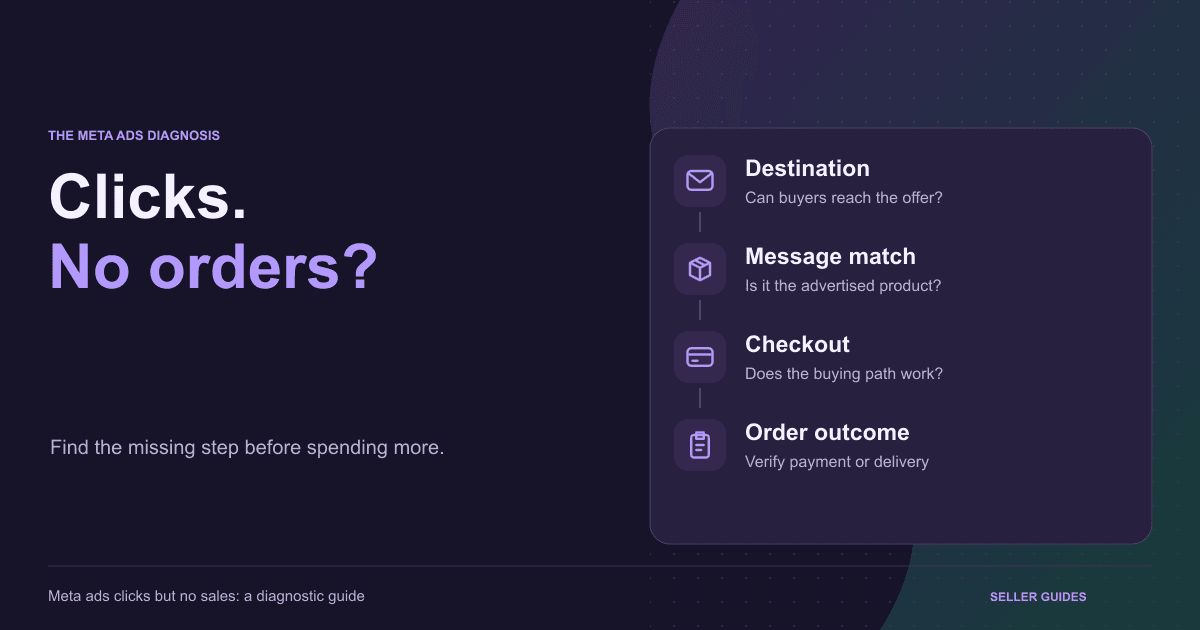
Meta ads clicks but no sales is a symptom, not a diagnosis. The issue could be the audience, a broken destination, an unclear offer, a checkout error or incomplete measurement. Before increasing your budget or reducing prices, follow one campaign through the buying journey. For Indian sellers, separate a submitted COD order, a successful prepaid payment and a delivered purchase: these are different outcomes.
1. Define the Missing Outcome
Record the campaign, product, destination URL and time period. Compare your order system with your advertising report. An empty purchase column does not prove there were no orders, and an order record does not prove payment was collected.
Keep accepted orders, successful payments, cancellations and deliveries separate where records are available. Exclude identifiable test activity. Your first task is finding where the expected action cannot be verified.
Use the Meta-ad seller workflow to connect acquisition with checkout and fulfilment, rather than judging the campaign only by its click count.
2. Test the Actual Destination
Open the campaign destination on a phone, preferably through the actual ad journey. Look for the wrong product, unexpected redirects, a login requirement or a buying button that is difficult to use.
Try realistic device and connection conditions. Check whether the main information becomes usable, not merely whether the page eventually loads. Record the observed problem instead of assuming every reporting discrepancy means slow loading.
Review what your selected click metric measures. Clicks are not interchangeable with verified destination visits. Restricted or missing measurement can complicate comparisons; there is no universal acceptable ratio that diagnoses every campaign.
3. Compare the Ad With the Offer
Check the item, pack size, price, variant, benefit and delivery promise side by side. Someone attracted by a single-item offer should not discover that the displayed price belongs to a different bundle.
An entertaining demonstration can attract curiosity without establishing a reason to buy. Ask what a buyer needs to understand about this product and whether the page supplies accurate information.
Once you identify a message-match issue, use the Meta ads landing-page guide. Avoid redesigning everything when one confusing offer or unavailable variant explains the problem.
4. Inspect Checkout Attempts
If buying attempts do not produce orders, check required fields, addresses, selected variants and the final amount. Unexpected shipping costs or unclear availability may change a customer's decision.
Distinguish abandonment from a technical failure. Use a supported, controlled payment-testing process and check cancellation and failure handling as well as success. Tests can trigger real charges, messages or shipping actions.
A clear branded checkout helps buyers understand the item, amount and next step. Record reproducible errors and their device, payment option and action sequence before changing the campaign.
5. Separate COD Orders From Revenue
A COD submission may still need address review, dispatch and delivery. If orders exist but revenue is missing, inspect operational status instead of assuming the ads generated no interest.
For prepaid orders, compare the order record with the gateway outcome. For COD, distinguish delivered, cancelled, returned and pending shipments. A success-looking screen is not sufficient evidence of collection.
Review your order-management process with the fulfilment team. A gap between placed and delivered orders requires a different investigation from checkout rejecting an order.
6. Reconcile Measurement Before Changing Ads
If genuine purchases exist but the advertising report shows none, investigate measurement, dates and definitions. The reverse disagreement needs investigation too. Neither report answers every business question.
Check the intended data source and which event represents which action. Verify current integration instructions and consent requirements before changing tracking. Do not bypass privacy controls to increase recorded events.
Document unresolved differences. Advertising attribution, website activity and order records can answer different questions, so do not expect perfect agreement or turn uncertain data into a performance claim.
7. Fix One Diagnosed Problem
Record the symptom, evidence, proposed fix and outcome to inspect. If a selected variant disappears at checkout, correct that behaviour and retest the same path; a discount will not solve it.
For non-technical changes, compare similar traffic and avoid treating a handful of visits as reliable evidence. Note budget, audience and creative changes. Resolve confirmed blockers before spending more.
Use SellSnap AI's seven-day free trial to evaluate one offer, its mobile checkout and the next operational step. Aim for a verifiable buying journey, not a promise that software turns every click into a sale.
BUILD YOUR SELLING SYSTEM
Ready to turn your product story into a focused funnel?
Start a seven-day free trial and build your product funnel, branded checkout and selling operations in one place.
Start your free trialRELATED SELLSNAP AI FEATURES
FAQ
Frequently asked questions
Should I lower my price first?
Not automatically. Check destination access, relevance and checkout first. Assess price alongside evidence about buyer objections and your costs.
Can reports differ when real orders exist?
Yes. Inspect order and payment records, measurement configuration and reporting definitions before deciding what the difference means.
Is a COD order a successful payment?
No. Track placement, delivery and collection separately, and use the appropriate outcome when assessing results.