
ORDER OPERATIONS
How to Reduce COD RTO for Meta Ads Orders: A Seller's Checklist
A practical COD order checklist for Indian Meta ad sellers: align offers, confirm delivery details, handle failed deliveries and measure completed orders.
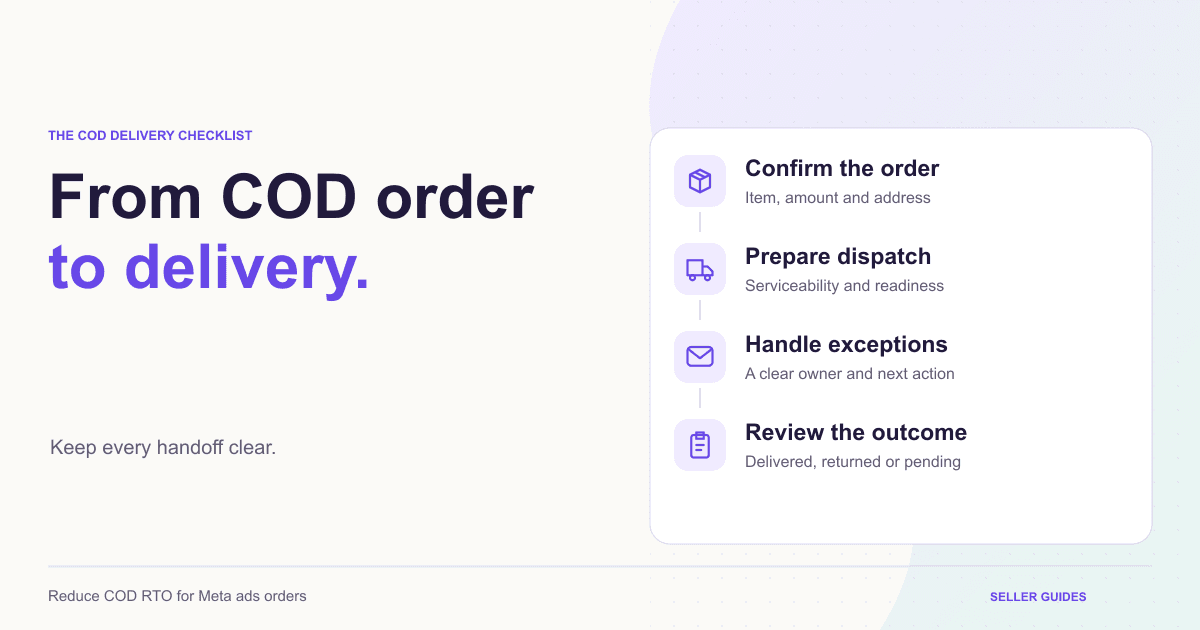
Your Meta campaign brings in orders. The checkout works. You dispatch parcels. Then some buyers refuse delivery, cannot be reached, or say they did not expect the final amount. For an Indian product seller, this is a different problem from getting more checkout conversions. A cash-on-delivery order records an intention to buy; it does not establish that the parcel will be accepted or the payment settled. To reduce COD RTO for Meta ads orders, examine the entire path from the ad promise to the delivery attempt. Start with the checklist below, then measure what changes in your own business.
Start With the Gap Between Placed and Delivered
Keep these stages separate in your reporting: placed, confirmed, dispatched, delivered, and returned. Also distinguish a cancellation before dispatch from a shipment returned after dispatch.
If you combine them, you cannot tell whether the issue is purchase intent, address quality, delivery execution, or the product expectation.
Return to origin, or RTO, describes a shipment returning to its origin after delivery does not complete. A non-delivery report, or NDR, flags an unsuccessful delivery attempt. The two are connected, but an NDR does not automatically mean the shipment has returned. Shiprocket's NDR explanation describes the failed-attempt stage and possible follow-up actions.
1. Make the Ad Promise Match the Amount Due
Review the journey as a first-time buyer. Does the ad show one bottle while the page defaults to a bundle? Does the creative mention a price that excludes a fee revealed only at checkout? Does a product photo imply a different size?
These mismatches can create confusion even when the buyer successfully places an order.
Use plain product claims and realistic delivery expectations. A stronger promise is not useful if the delivered product cannot meet it.
For sellers running Meta ads, a useful audit is to compare three things side by side: the creative, the selected product variant, and the order summary. The product, quantity, discount conditions, and total payable amount should agree.
2. Check the Delivery Details Before Dispatch
Create a short confirmation checklist for orders that need attention. Check the selected variant, quantity, phone number, address, postal code, and amount due. Confirm serviceability through your shipping provider.
When clarification is needed, send one concise message through an appropriate customer contact channel. Explain which order you mean and ask only for the missing or uncertain detail.
For example: "Your order is for one 50 ml bottle. The amount due on delivery is Rs 599. Please confirm that the quantity and delivery address in your order summary are correct."
This is an example script, not a claim about automatic messaging in SellSnap. Avoid repeatedly chasing an unresponsive buyer or dispatching an obviously incomplete address simply to clear the queue.
3. Make Payment Choices Easy to Understand
COD and prepaid serve different buying preferences. Present the available options clearly, including any applicable fees or discount conditions before the customer commits.
If you offer a prepaid incentive, explain it next to the payment choice. Keep the order summary consistent with the selected option. Do not assume a prepaid order can never be returned or encounter a delivery problem.
Check this on a phone: small labels and hidden totals can undermine otherwise clear copy.
A branded checkout should make the seller identity, purchased item, total, and next step easy to recognize. The aim is an informed order, not simply a faster button click.
4. Give Buyers a Clear Delivery Expectation
After order placement, tell the buyer what happens next. Distinguish your processing time from the carrier's delivery estimate, and avoid promising an exact arrival date you cannot support.
When tracking becomes available, make it easy to find. For COD orders, remind buyers of the amount due and how to contact support if their availability changes.
Keep operational messages brief and related to the order. Extra promotions can distract from the information a customer needs to receive the parcel.
Assign someone to check exceptions each working day. A useful order-management workflow connects the order record with payment and fulfilment status so the team can identify the next action.
5. Handle Failed Attempts as Individual Cases
An NDR needs a reason-specific response. An incomplete address needs clarification; an unavailable buyer may need a suitable reattempt; a refusal needs an understanding of why the buyer declined.
Check the carrier's current options and action deadlines in the shipping provider's dashboard. Reattempts depend on the service and shipment circumstances, so avoid assuming every parcel gets the same number of attempts.
Record the outcome of your contact: corrected detail, reattempt requested, cancellation requested, or no response. Do not mark an issue resolved just because a message was sent.
For a small operation, a short daily exception list with an owner and next action is often a manageable starting point.
6. Compare Campaigns After Orders Have Had Time to Finish
Do not judge a campaign only by the number of orders placed today. Recent orders may still be processing or travelling.
Group orders by placement week and campaign where reliable attribution is available. Compare groups after they have had a similar opportunity to reach delivery or return. Keep pending shipments visible instead of silently treating them as successful.
Track dispatched COD orders, delivered COD orders, returned shipments, and unresolved shipments. If you calculate an RTO rate, state its denominator and reporting window explicitly.
Use sales analytics alongside shipping and settlement records. Order value, delivery completion, and money received answer different questions; one dashboard number should not stand in for all three.
Try the Checklist on One Campaign
Choose a single product and campaign first. Review the ad-to-order match, check the confirmation process, and identify who handles shipping exceptions.
Record the recurring reasons behind cancelled or returned orders. Then change one part of the journey at a time. This makes the results easier to interpret than simultaneously rewriting the ad, changing prices, and switching delivery processes.
Your goal is a repeatable workflow that produces clearer buyer expectations and better operational decisions. No checklist can guarantee a particular RTO reduction.
BUILD YOUR SELLING SYSTEM
Ready to turn your product story into a focused funnel?
Start a seven-day free trial and build your product funnel, branded checkout and selling operations in one place.
Start your free trialRELATED SELLSNAP AI FEATURES
FAQ
Frequently asked questions
Should I remove COD to avoid RTO?
Not automatically. Review delivery outcomes and customer preferences first. Removing COD changes who can order and may introduce a different trade-off.
Is confirming a COD order enough?
No. Confirmation helps clarify intent and details, but availability, expectations, and delivery execution still affect the outcome.
Can I manage every NDR inside SellSnap AI?
Do not assume so. Review orders in SellSnap and use the shipping provider's supported dashboard actions for NDR handling unless the current integration explicitly exposes them.
What should I check first?
Start with the product, variant, total amount, and delivery details. These are concrete checks you can apply before dispatch.