
DISPATCH WORKFLOW
From Paid Order to Dispatch: A SellSnap AI Workflow
Plan your SellSnap AI order-to-dispatch workflow: verify payment, review items and addresses, prepare shipping and keep customer updates accurate.
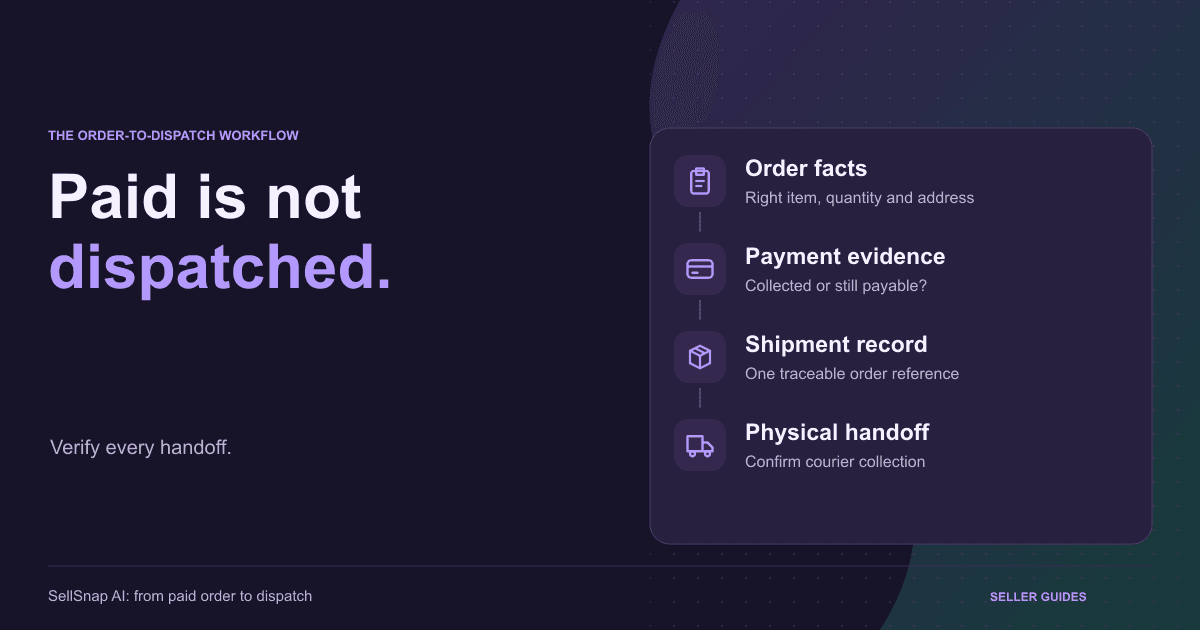
A completed checkout starts fulfilment; it does not finish the sale. Someone must verify the order, understand the payment position, pack the right items and arrange the courier handoff. Evaluate SellSnap AI order management around that complete sequence. This is an operating checklist, not a promise that shipping happens automatically inside SellSnap. For COD, start from a placed order rather than calling it paid: collection happens later.
1. Identify the Order Before Acting
Find the order reference and match it to the buyer, product, quantity and variant. If your team also uses a courier portal or payment dashboard, decide which reference connects those records. Customer names alone are not reliable identifiers.
Review cancellations, duplicate submissions and requested changes before packing. Similar orders are not automatically duplicates, and repeated payment attempts do not necessarily mean two purchases.
Use the SellSnap AI order-management overview to frame your workflow. Start with one verified order, a clear owner and an agreed next action.
2. Verify Payment Separately
For prepaid purchases, reconcile the actual payment outcome with the order reference. A customer screenshot or payment-method label is not sufficient proof that money was collected. Investigate disagreements between the order and gateway records.
For COD, confirm the amount still payable and the shipping arrangement. Where your configuration supports partial upfront payment, distinguish what has been received from the remaining collection.
Keep order acceptance, money collection and dispatch separate. A change to one does not prove the others. This also helps support staff explain why a successfully paid purchase may still await fulfilment.
3. Review Items and Delivery Details
Compare the accepted variant and quantity with what you will pack, including add-ons and bundle components. Follow the actual order, not the default item shown in an old advertisement.
Check address, PIN code and contact details for completeness. Confirm unclear information through an appropriate support channel. Do not invent missing details or silently substitute another variant.
A clear branded checkout helps collect understandable information, but operational review still matters. If the same omission repeatedly blocks dispatch, fix its source rather than repairing every order manually.
4. Prepare the Shipping Handoff
Confirm pickup location, serviceability, payment type and required package details. Measure and weigh the packed parcel as appropriate; catalogue weight may not match the completed shipment.
Use the tools available in your configuration. Document any provider-dashboard step instead of assuming automatic synchronisation. Connect the resulting shipment record to the original order.
For a provider-side example, Shiprocket's order-processing help describes label and pickup-related actions. Follow current account and courier instructions; this does not establish that identical controls exist inside SellSnap.
5. Distinguish Booking From Dispatch
A shipment reference or label does not prove courier collection. A scheduled pickup is a planned event, not evidence that the parcel is moving. Keep internal status and customer wording aligned with verified events.
Match each label to its parcel and prepare the required documentation. Retain the handoff evidence your provider requires. If pickup fails, assign an owner to resolve it.
After a campaign creates a batch of orders, inspect the physical queue as well as software records. A list of booked shipments can hide parcels still waiting on a shelf.
6. Keep Customer Updates Accurate
Acknowledgement, payment confirmation and dispatch updates communicate different events. Do not send a shipped message merely because packing is complete, or describe estimated delivery as guaranteed arrival.
Review the customer-communication workflow before changing status-driven messages. Check recipients, content and triggers. Tests should use controlled contact details because status changes may send real notifications.
- Explain the verified stage, not the hoped-for outcome.
- If delayed, give a useful support contact or next update.
- Keep payment and shipment questions traceable to the order.
7. Resolve Exceptions Before Closing the Task
Keep a short queue for payment mismatches, unclear addresses, unavailable stock and missed pickups. Each needs a reference, issue, owner and next action. Leaving today's packing pile is not the same as resolution.
After dispatch, the guide to reducing COD RTO for Meta-ad orders covers delivery outcomes. Here, aim to hand over the correct parcel with accurate records.
Use SellSnap AI's seven-day free trial to evaluate a controlled order workflow. Verify workspace capabilities and provider-side steps before taking live orders; do not assume automatic dispatch or guaranteed delivery.
BUILD YOUR SELLING SYSTEM
Ready to turn your product story into a focused funnel?
Start a seven-day free trial and build your product funnel, branded checkout and selling operations in one place.
Start your free trialRELATED SELLSNAP AI FEATURES
FAQ
Frequently asked questions
Does a prepaid label prove payment succeeded?
No. Verify the transaction against the order reference. A payment-method label is not independent proof of collection.
Can label creation count as dispatch?
No. Label creation, pickup scheduling and physical handoff are different events. Describe the stage you can verify.
Is this an automatic Shiprocket booking tutorial?
No. This is an operating checklist. Confirm your integration and provider setup before assuming booking or pickup actions happen automatically.